
Paint fast
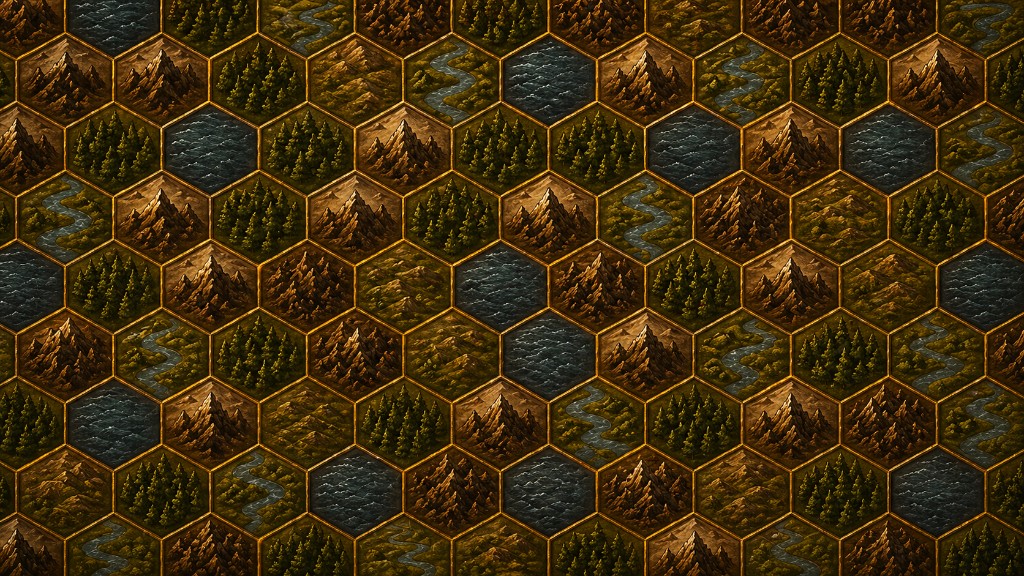
Brush biomes, erase, flood fill, undo — cover a region in minutes.
“I exported a hexcrawl as Universal VTT the same evening I signed up — grid alignment checked out in Foundry after the Pro bundle import.”
“The JSON export let me prototype overworld logic without redrawing — I pair it with our own art pipeline for the vertical slice.”
“Quickstart templates got us to a playable frontier map before session zero. PNG for Discord, UVTT when we moved to the VTT.”
Balanced comparisons for high-intent shoppers — strengths, trade-offs, and migration paths.
Paint wilderness hex maps in your browser — add terrain, landmarks, and overlays, then export for print or your virtual tabletop.
The demo editor saves locally only. Sign up for cloud saves and exports.
Hexus is a hex-first regional map painter with JSON, PNG, and SVG export for hexcrawls — not a VTT, not an illustrated world builder. Paint playable wilderness fast, then export for your table or game pipeline.
Brush biomes, erase, flood fill, undo — cover a region in minutes.
Settlements, ruins, roads, rivers from built-in overlay sets.
Keep campaign maps in numbered slots; Pro adds more.
Universal VTT (.uvtt) free; Pro adds Foundry bundles and Roll20 setup helpers.
Export map data to reopen or archive in Hexus.
Built-in tile art is for creating and playing maps in Hexus — not for redistributing or selling the artwork. Commercial games need your own or licensed marketplace art. See the Exports tab for licensing detail.
Hexus exports flat top-down hex maps for tables and VTTs. Universal VTT (.uvtt) is free for all signed-in users. Foundry bundles and Roll20 helpers require Pro.
hexus-importer module, export the Pro bundle, then Import from
Hexus (PNG + .hexus.json).edgeFeatures; overlays in overlayLayers.| Export | Best for |
|---|---|
| PNG / SVG | Manual VTT import, print, Discord — art is baked in |
| Universal VTT (.uvtt) | Foundry, AboveVTT, and other UVTT consumers (grid fidelity varies) |
| Foundry bundle (Pro) | Aligned hex grid + notes via the Hexus Foundry module |
| Roll20 helper (Pro) | PNG + UVTT + setup text — semi-manual import |
| Map JSON | Re-open in Hexus, custom fog/path tools, engine pipelines |
| Texture keys | Know which overlay assets a map references |
VTT flat exports may look different from PNG when your map uses heavy effects or WebGL-only backgrounds. Built-in tile art is for table and VTT use — not for embedding Hexus stock tiles in a shipped commercial game. See exports & licensing for detail.
| Setting | Recommended | Notes |
|---|---|---|
| Hex orientation | Pointy-top (Hexus default) | Match your VTT scene to pointy-top when importing UVTT or Foundry bundles. |
| Grid size (px per hex) | 140–280 px for table play; 200–320 px for VTT zoom | Use Export map presets; avoid upscaling a tiny PNG — re-export at target resolution. |
| PNG file size | < 8 MB per map layer when possible | Large maps: use Standard/High resolution tiers before Ultra for VTT upload limits. |
| Foundry import | Pro bundle + hexus-importer module | Prefer bundle over manual PNG when you need aligned grid + notes payload. |
Need more detail? Re-read the defaults and fixes above, or ask via beta feedback with your VTT name and export format.